Connect requirements, tasks, risks, costs, and schedules in a single engineering environment.
Integrated schedules and requirements
Keep plans aligned with the engineering data that drives your projects.
Built-in risk and cost management
Identify risks early and track costs across the entire project lifecycle.
Real-time team collaboration
Keep your team connected with shared data and actionable insights.
End-to-end traceability
Maintain traceability from requirements to verification, quality, and delivery.
Connect engineering and project management data
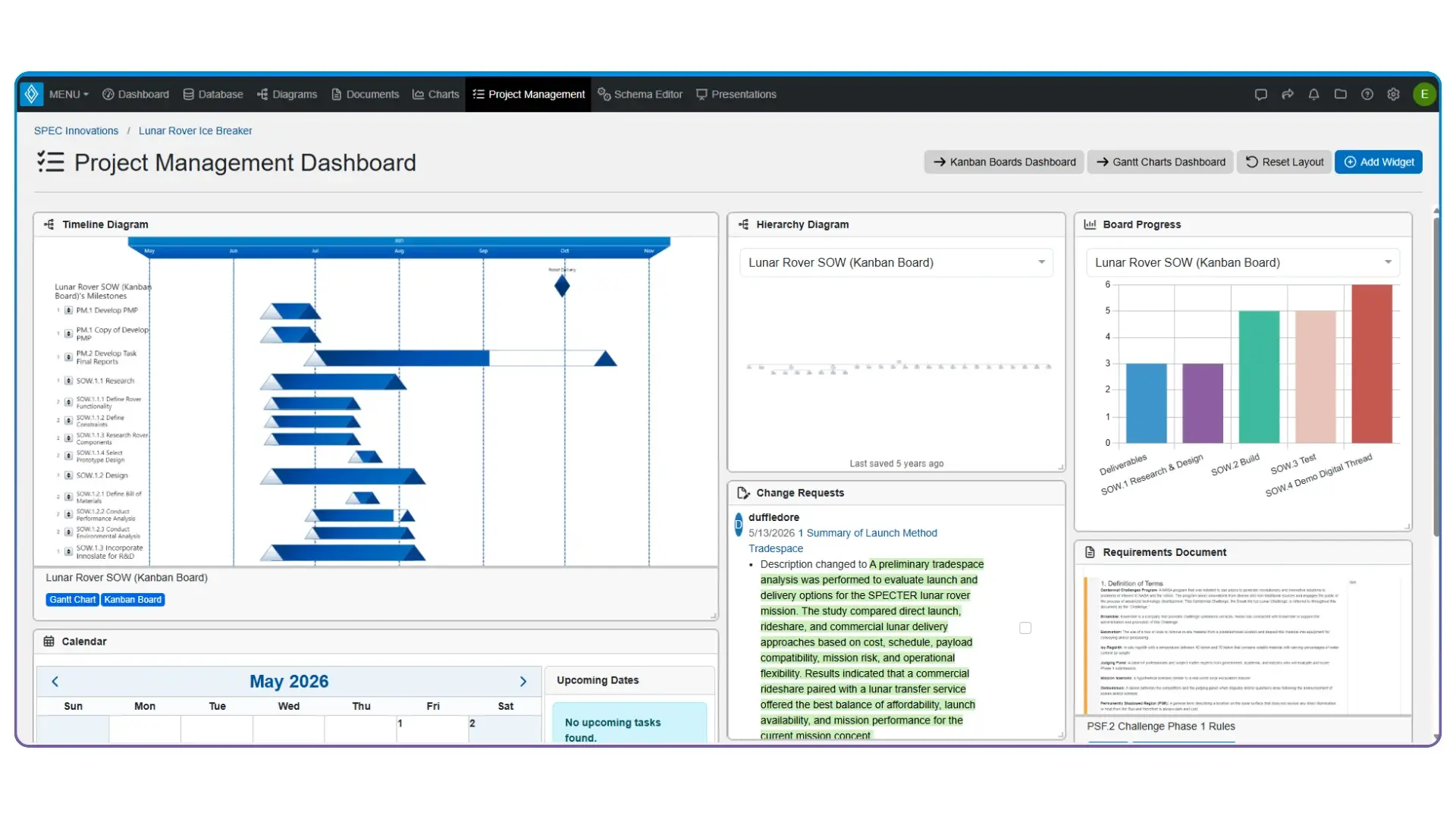
Innoslate connects project plans directly to requirements, architectures, verification activities, risks, and costs. Changes made in engineering are reflected throughout the project lifecycle, so your team stays aligned and mission-ready.
Gantt Charts, Calendars, Kanban Boards, Work Breakdown Structures, Timelines, and Action Diagrams.
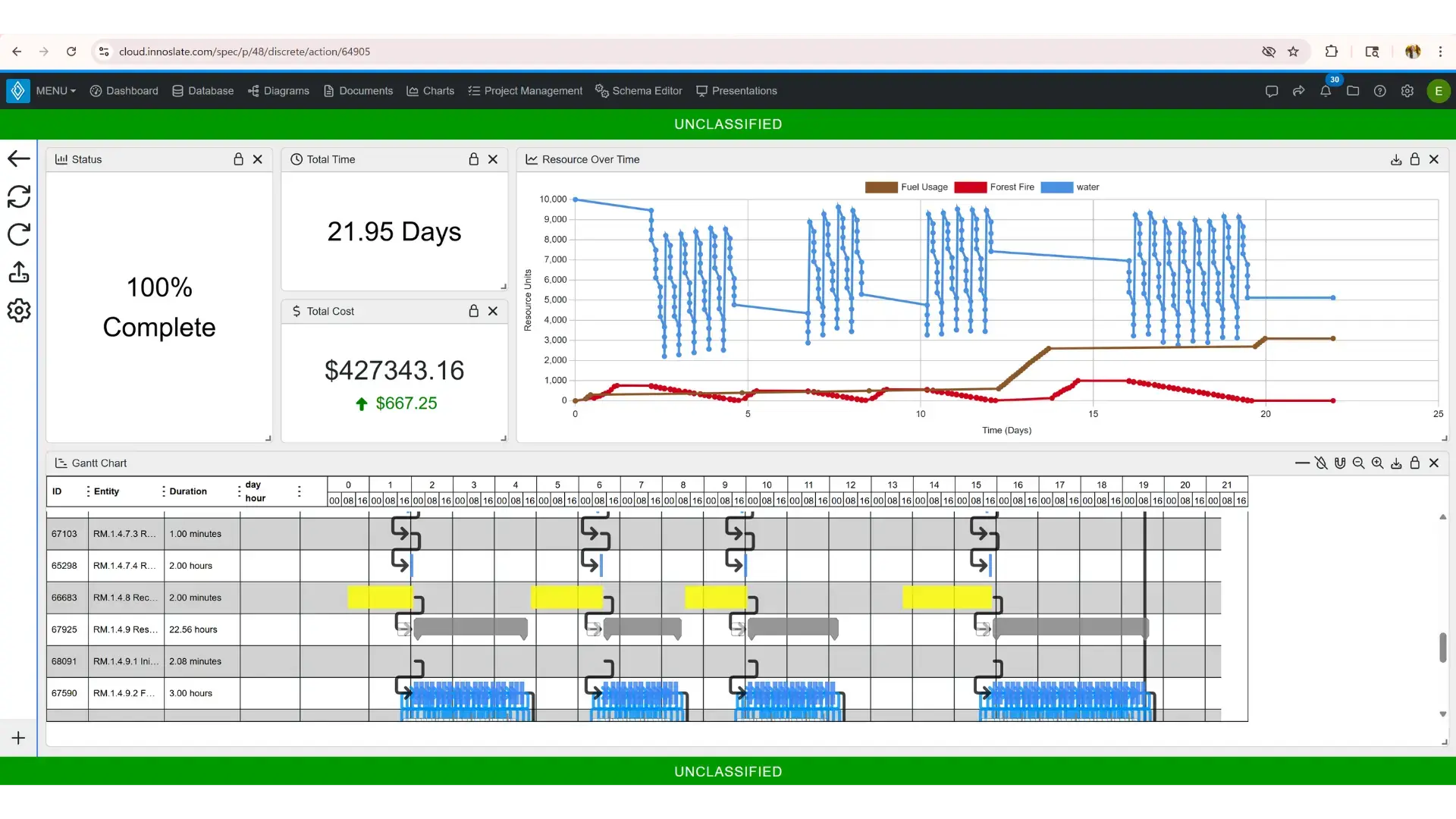
Gantt Chart
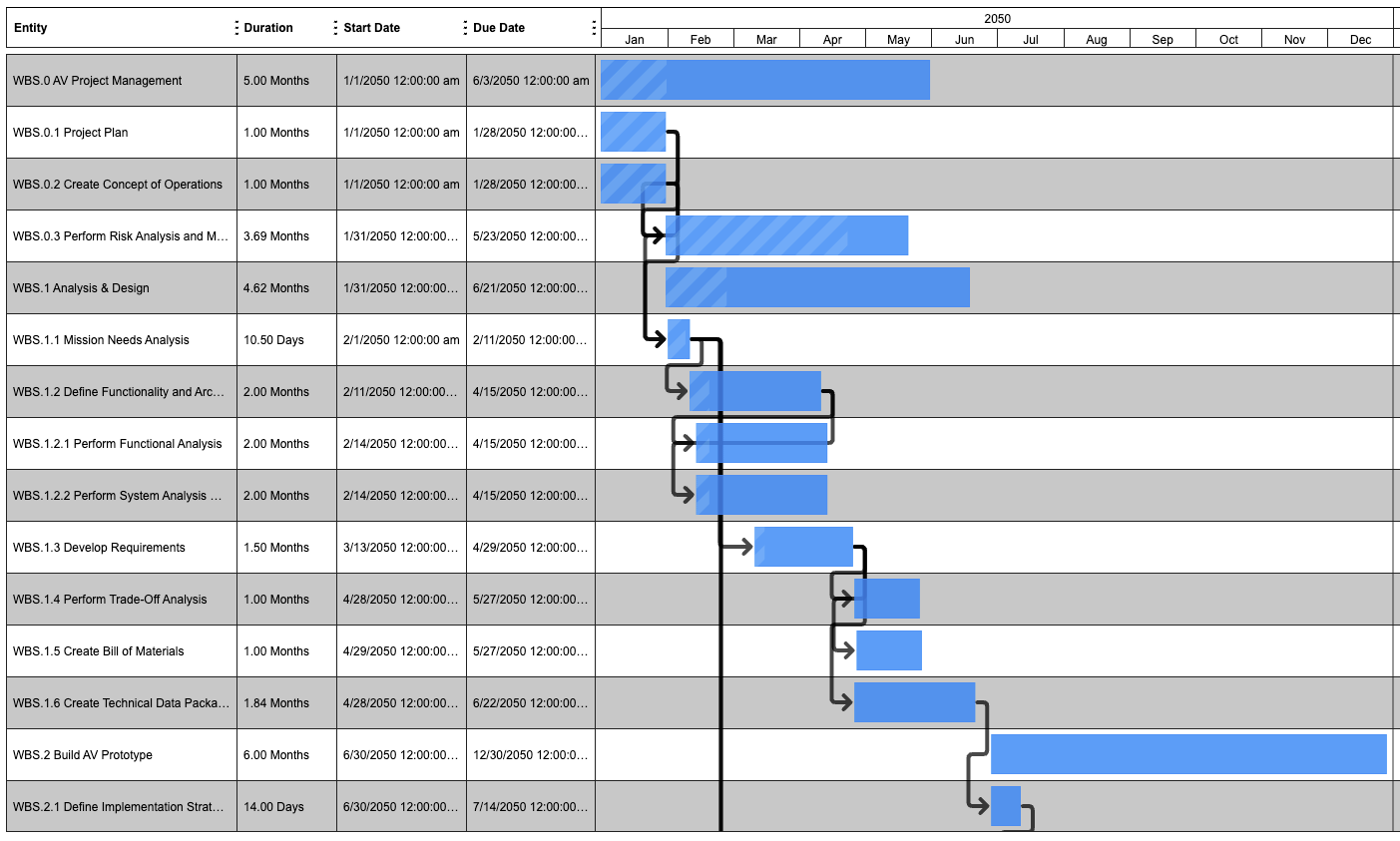
Elevate your project planning and scheduling with Innoslate's Gantt Charts. Gain a deeper comprehension of task relationships and timing, empowering you to effectively manage your projects. Unlock the potential of setting up tasks and reminders seamlessly within a Gantt chart for ultimate organization and efficiency.
Calendar
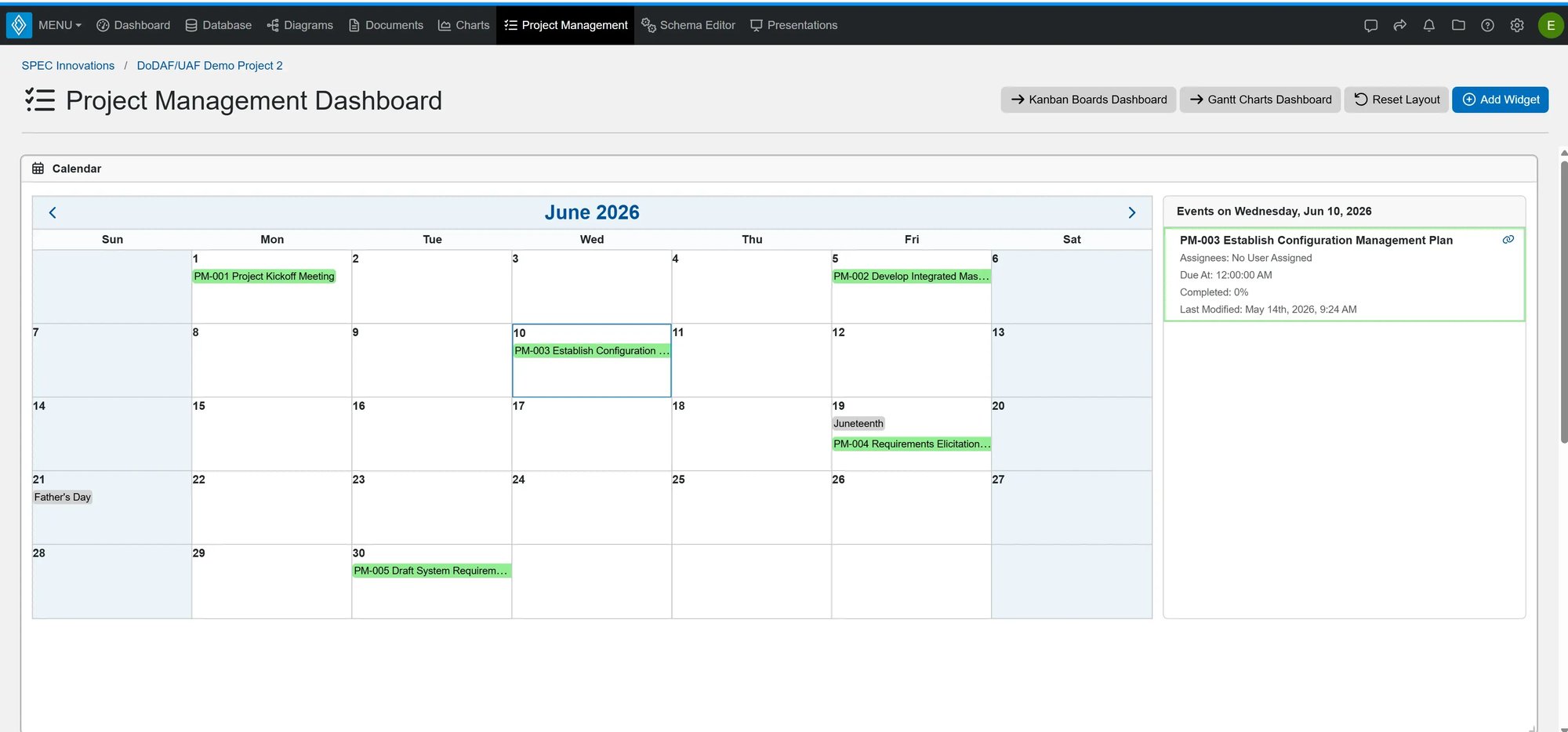
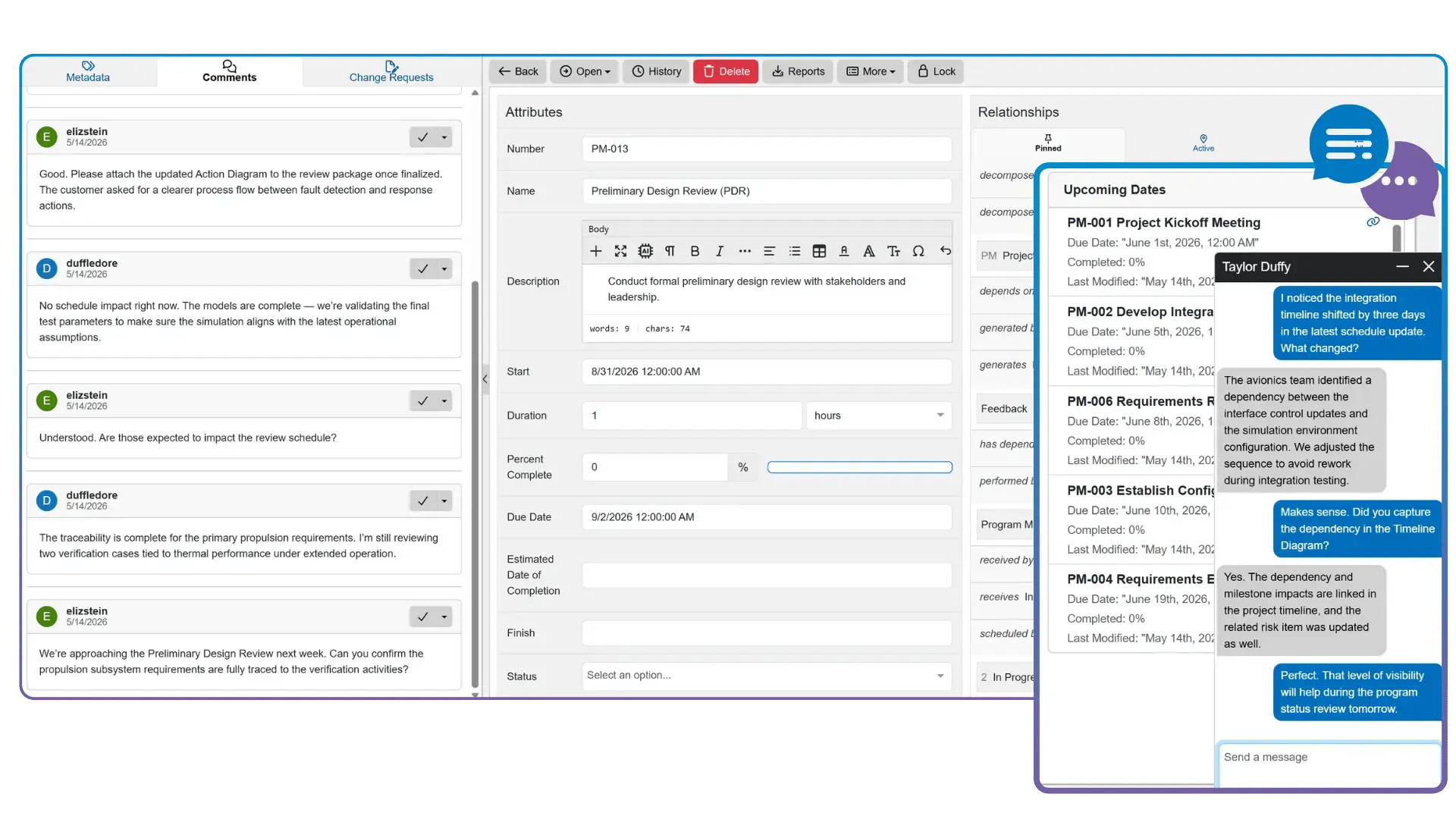
Keep your project on track and your team organized with the Calendar widget from Innoslate. Get a clear overview of all upcoming dates and tasks directly from the Project Management Dashboard, ensuring you never miss a deadline again. Plus, enjoy convenient email notifications to stay informed and stay efficient.
Kanban Board
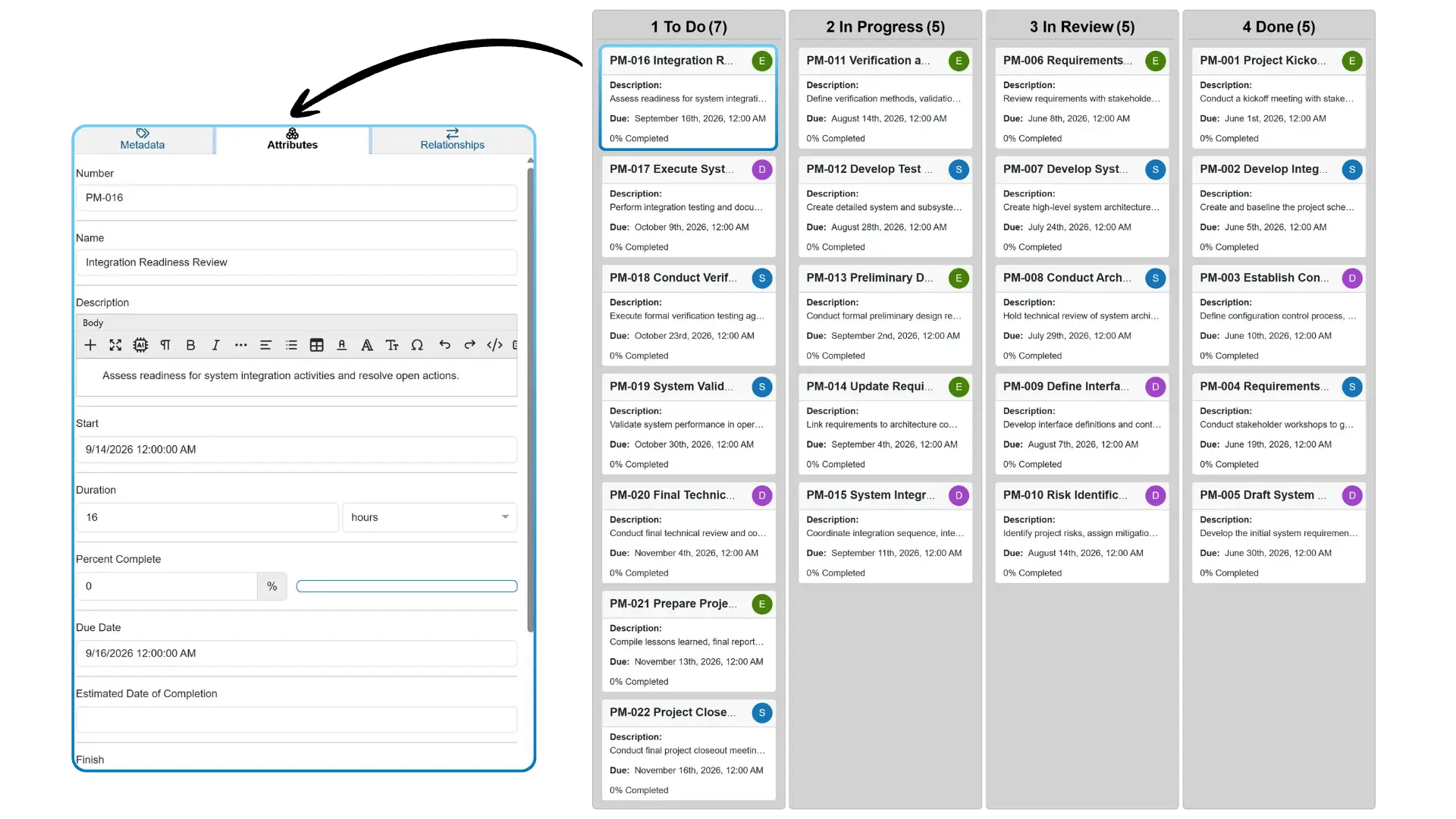
Embrace agile project and team management using Kanban Boards. With these boards, you can create dedicated columns for each stage of your process, making it easy to move tasks through the workflow with a simple drag-and-drop. Additionally, you can add tasks effortlessly and set up convenient email reminders.
Work Breakdown Structures
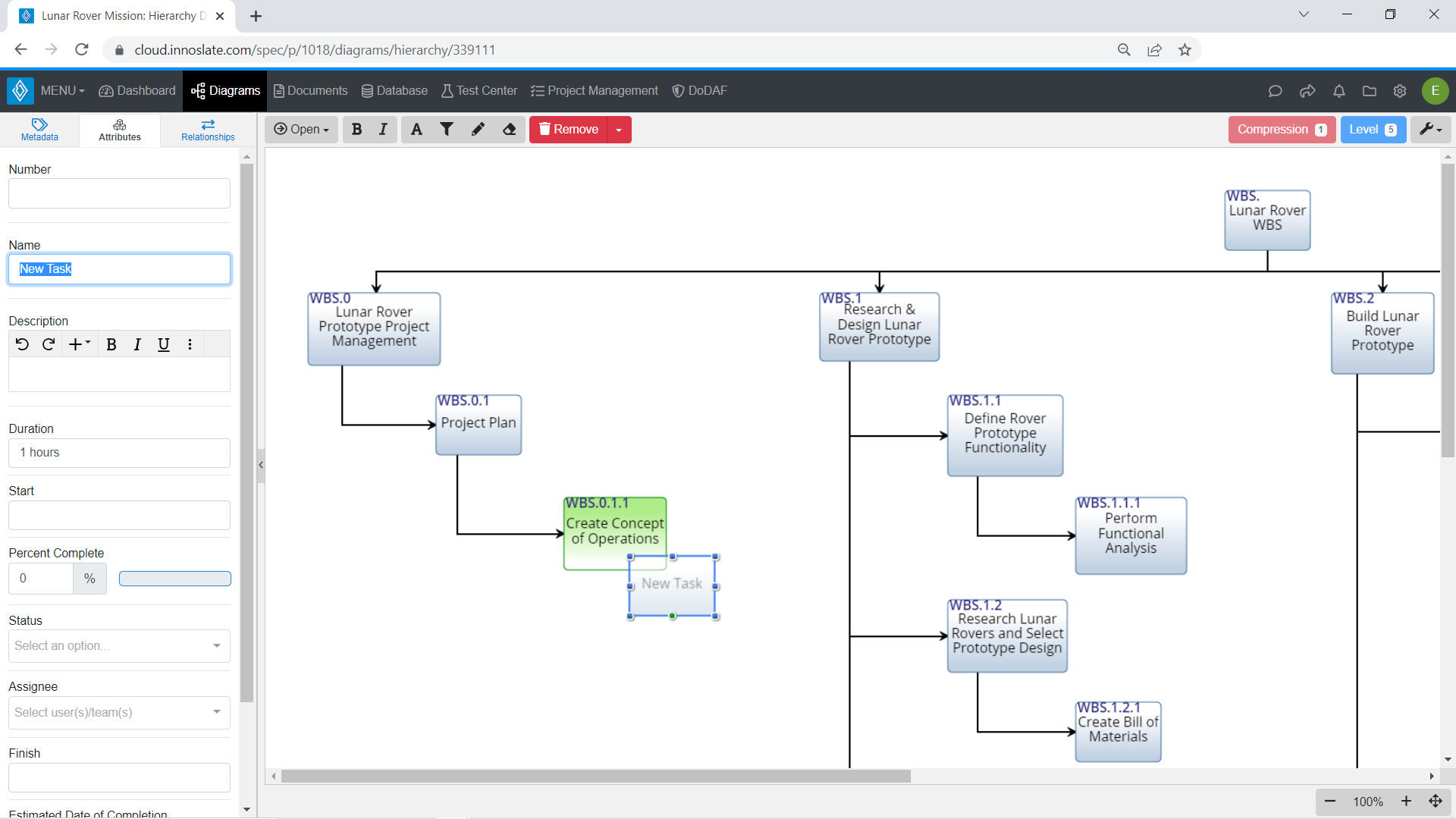
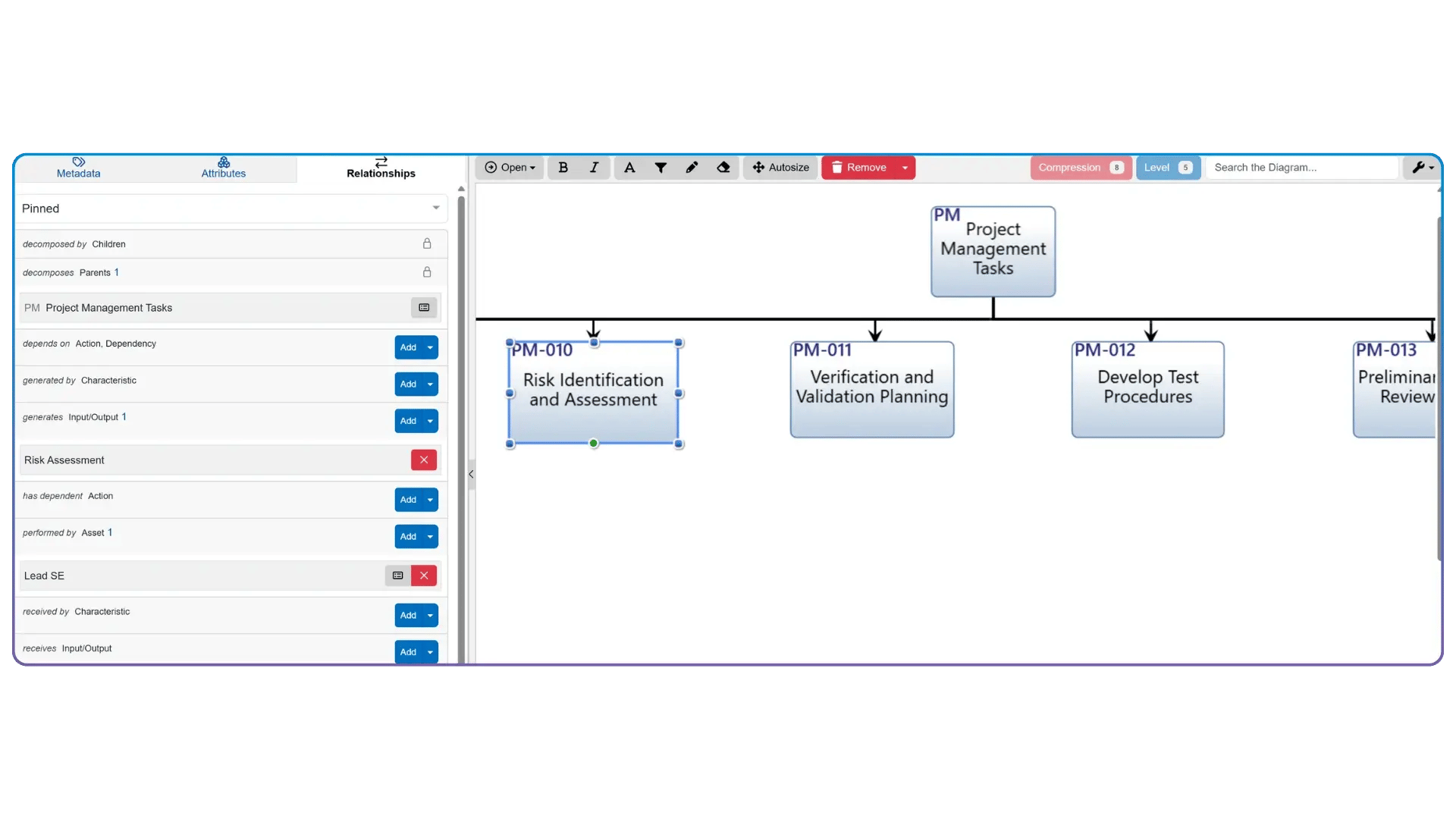
By combining the best practices of project management and systems engineering, you can effectively organize your team into structured sections. You can generate tasks and easily transfer existing tasks into Work Breakdown Structure (WBS) diagrams. Additionally, you can assign tasks and receive email reminders, making collaboration more efficient.
Timeline Diagram
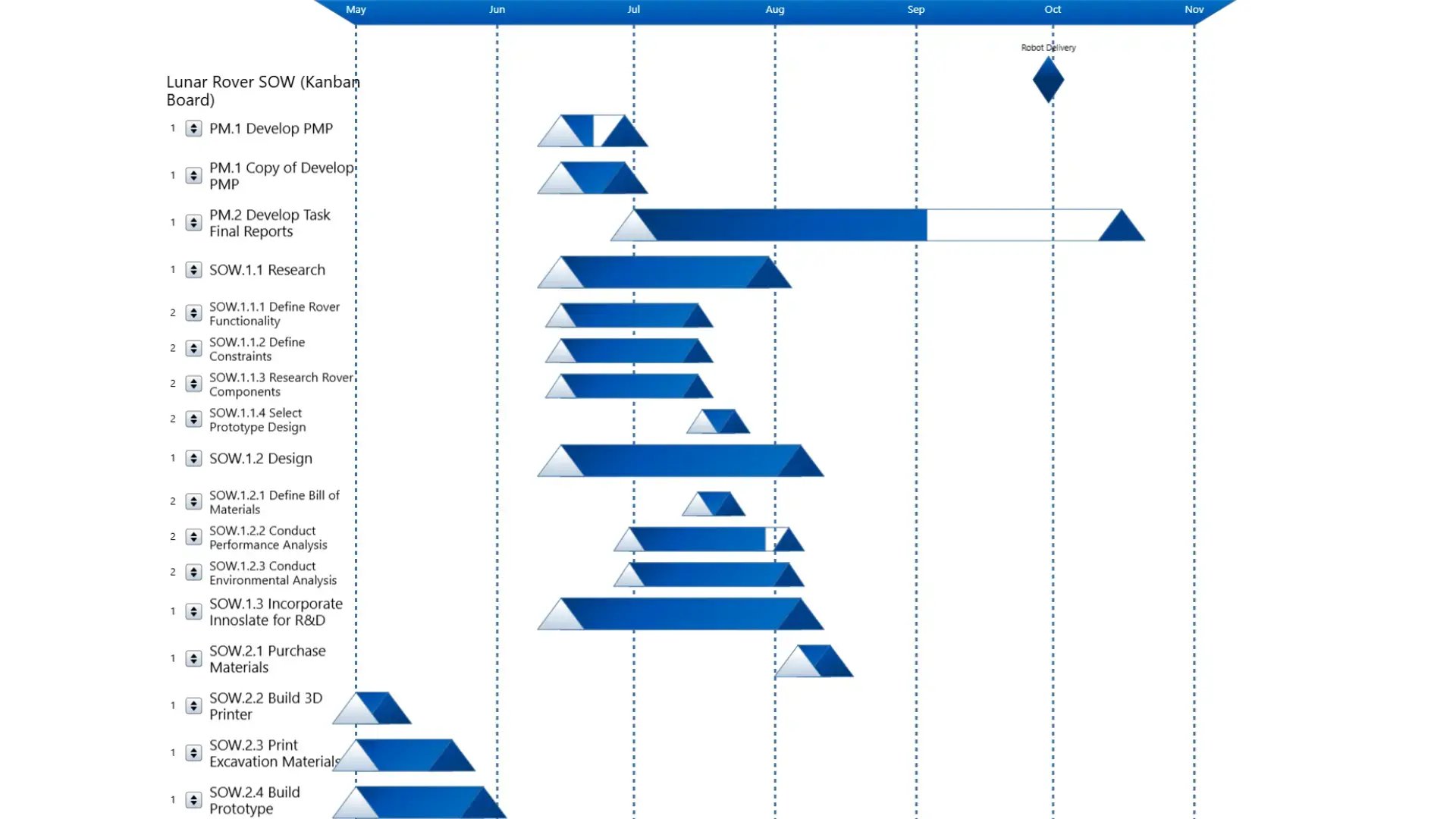
Track schedules, milestones, and dependencies in a single view with Innoslate’s Timeline Diagram. Engineering and program teams use the timeline to understand how activities connect across a project lifecycle and identify schedule impacts early.
Action Diagrams
Map task workflows from start to finish with Innoslate’s Action Diagrams. Teams use Action Diagrams to define process flows, show task sequencing, and understand how actions, inputs, outputs, and decisions connect across a system or program.
Save on IT costs, time, and headaches
Reduce redundancy and directly connect your project data with your project planner.
Integrated Project Planning + Engineering Data
Most tools separate project plans from system data—Innoslate doesn’t. Plans, requirements, models, and verification all live together. Changes in one area reflect across the project. No manual syncing between tools.
Work Breakdown & Task Management (WBS)
Focus on structured execution tied to engineering artifacts. Build and manage WBS directly in the system. Link tasks to requirements, components, and test cases. Track progress at both task and system levels.
Real Time Collaboration
No switching between tools or losing context. Teams work in the same data environment. Comments, updates, and changes are centralized. Supports cross-functional engineering teams.
Risk & Issue Visibility
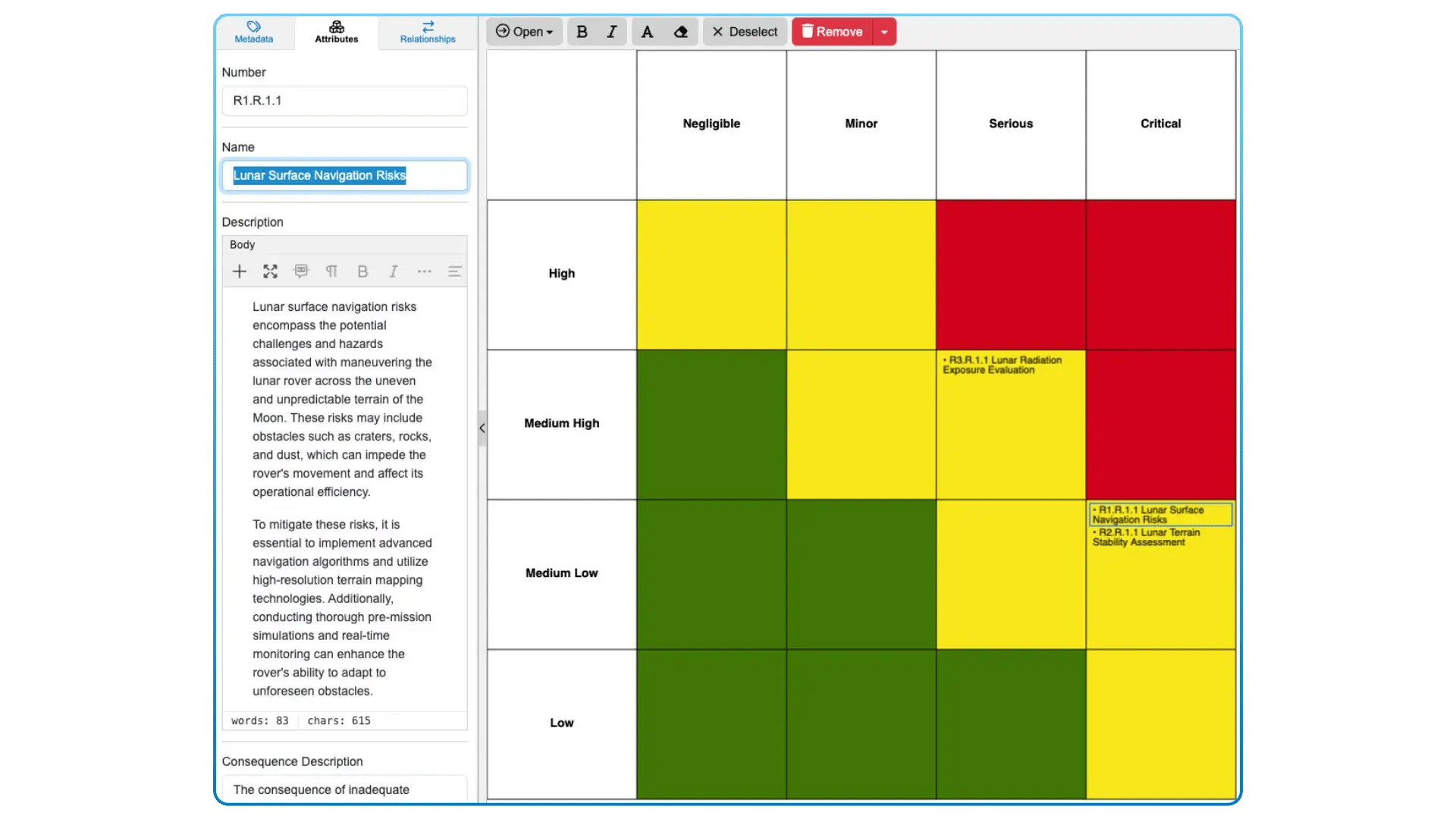
Project risk shouldn’t live in spreadsheets. Track risks alongside system elements. Understand the impact on requirements and schedule. Make decisions with full context.
Cost Insight Across Your System
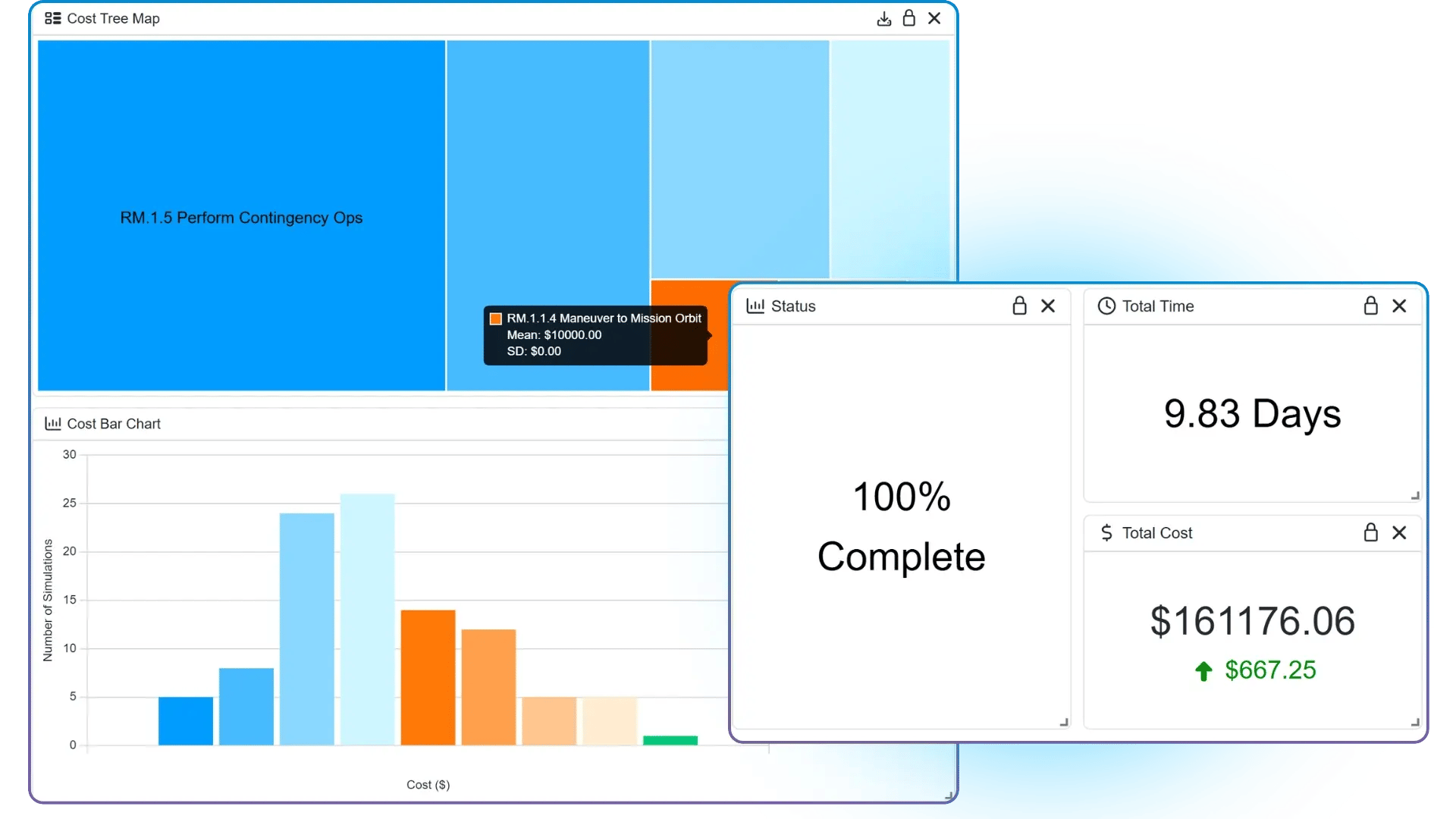
Estimate and track costs alongside requirements and system elements. Roll up costs across your project and understand how design decisions impact budgets. Make informed tradeoffs with full visibility.
A project management tool built for engineering projects
Manage your projects where the requirements, functions, components, risks, and tasks already exist.
Diagrams View
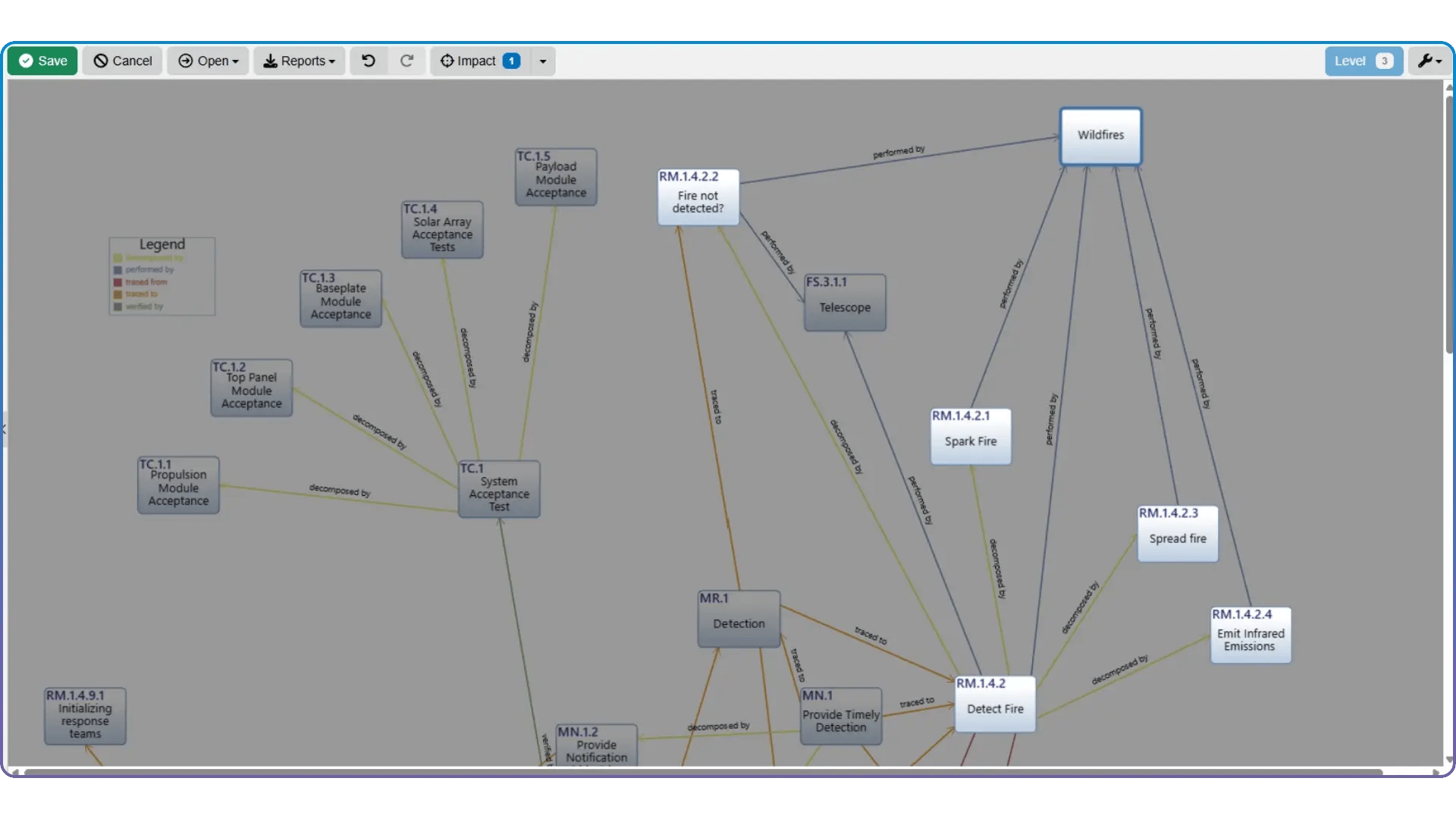
Build system models and architectures compliant with SysML, LML, DoDAF, and UAF.




.webp?width=2000&name=project_management_tasks_action_diagram%20(1).webp)
.webp)
%20(1).webp)
.png)

.svg)