Skip to the main content.
Logo-Text-without-slogan-white-300x88

Innoslate vs. Genesys

Cloud-native MBSE. Built for enterprise and government missions.

Innoslate combines requirements management, model-based systems engineering, test management, document generation, architecture development, and AI-assisted engineering in a single cloud-native platform. 

WHY TEAMS MAKE THE SWITCH

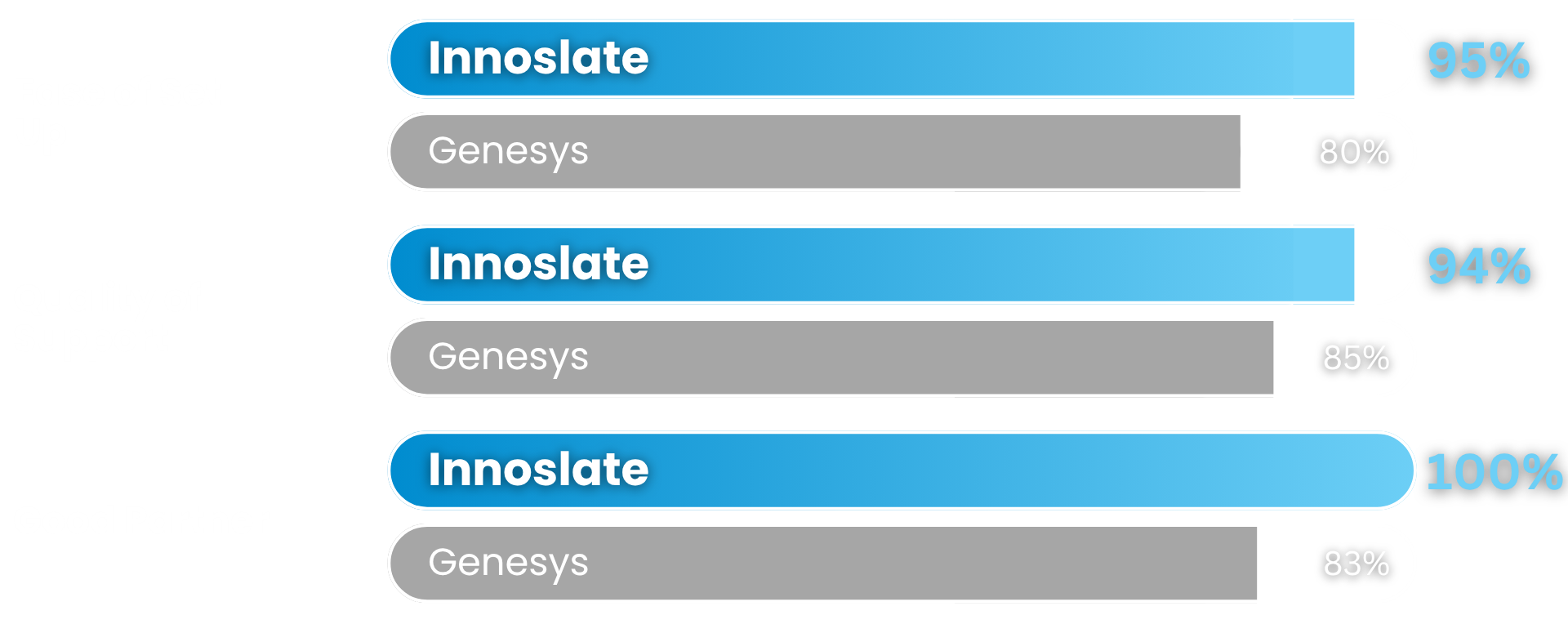
Innoslate Genesys G2 Comparison
cloud-traffic (1)
Cloud-native, modern MBSE

There are no desktop installations, client updates, or VPN-dependent modeling environments. Teams can collaborate securely from anywhere while maintaining a single source of truth.

collaboration icon
Built-in, real-time collaboration

Engineering is a team activity. Innoslate enables teams to collaborate through comments, discussions, project sharing, workflows, and reviews. 

documentation signature icon
Requirements Management

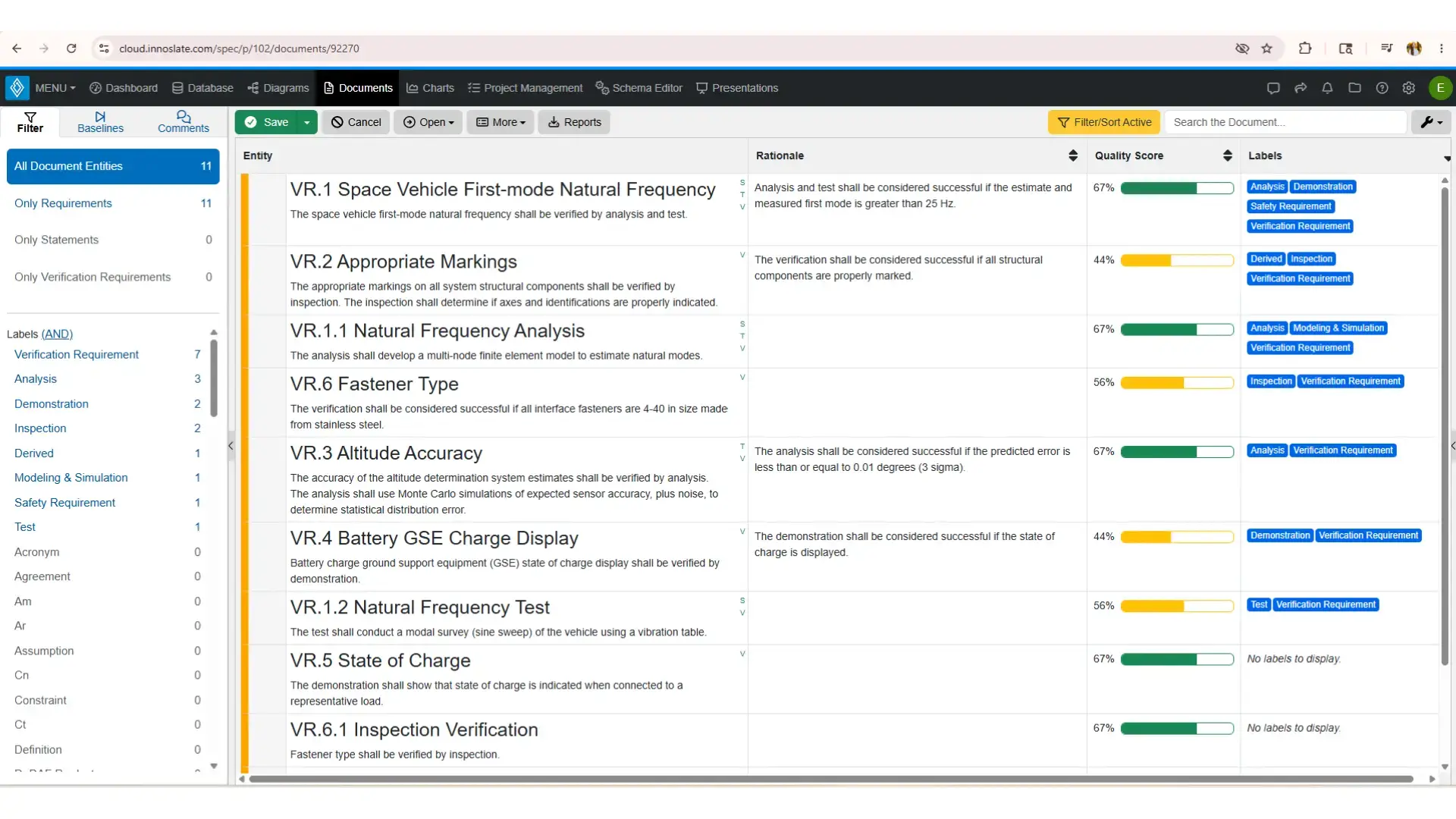
Create requirements in familiar document-based formats while automatically connecting them to architecture, verification, and traceability artifacts throughout your system model. 

collaboration icon
 Security built into the platform 

Deploy Innoslate with confidence using a platform backed by SOC 2 Type II, ISO 27001, ISO 9001, and DISA STIG support. Learn more at our Trust Center.

Trusted by government, defense, aerospace, and industry 

Organizations use Innoslate to manage requirements, architecture, verification, and digital engineering across complex programs. 

Navy Logo Gray General Atomics Logo Gray BlueSky Logo Gray Missile Defense Agency Logo Gray MITRE Logo Gray Amentum Logo Gray

Full lifecycle engineering

Many MBSE tools stop at modeling. Innoslate extends beyond architecture development to support:

  • Requirements management
  • Architecture modeling
  • Test and evaluation
  • Verification and validation
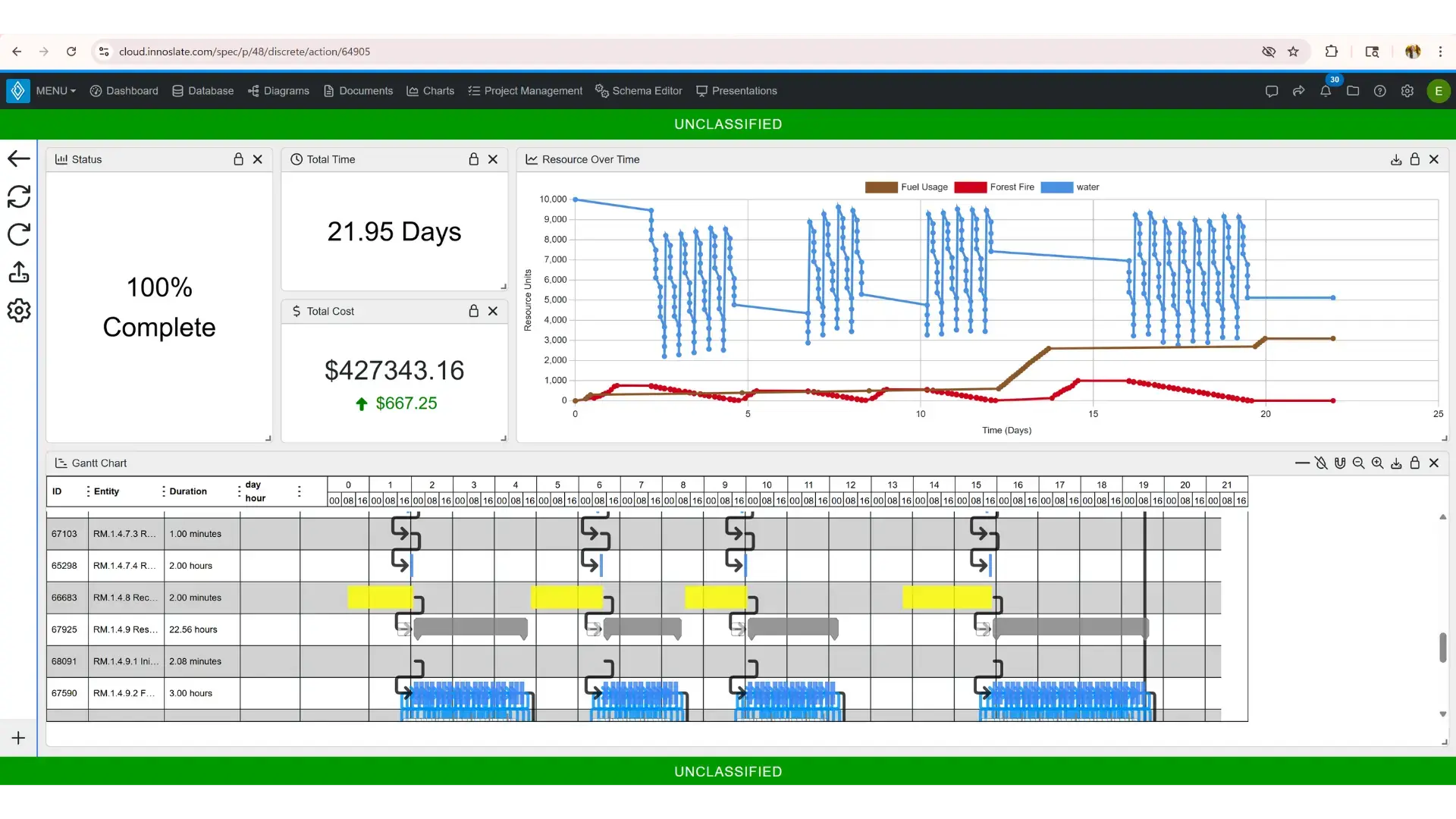
  • Program management
  • Risk management
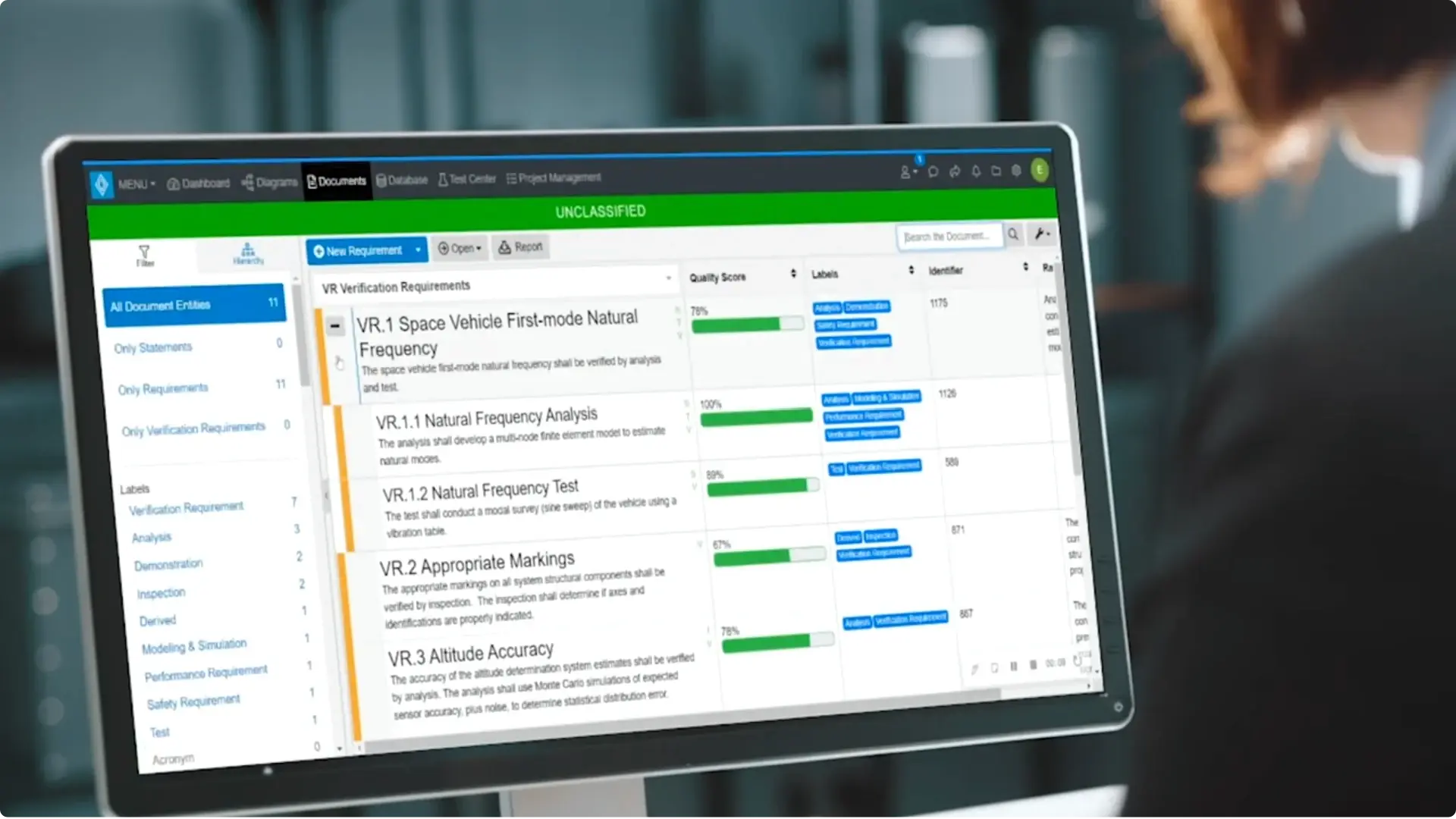
Innoslate verification requirements video screnshot

Innoslate vs. GENESYS comparison

Innoslate combines requirements management, MBSE, traceability, verification, project management, and collaboration in one connected platform.

Innoslate Genesys
Capability
Cloud-native architecture
Limited web access through SIDEKICK
Browser-based engineering
Primarily desktop-centered workflows
Requirements management
SysML modeling
Built-in test management
Limited
Document Views
Real-time collaboration
Partial
AI-assisted engineering
Limited
Government deployment options
US-owned and developed
No

Data-driven. Connected engineering. Built for teams.

Reduce IT costs and lost traceability. Innoslate enables you to author requirements documents and build system architecture in one collaborative environment.

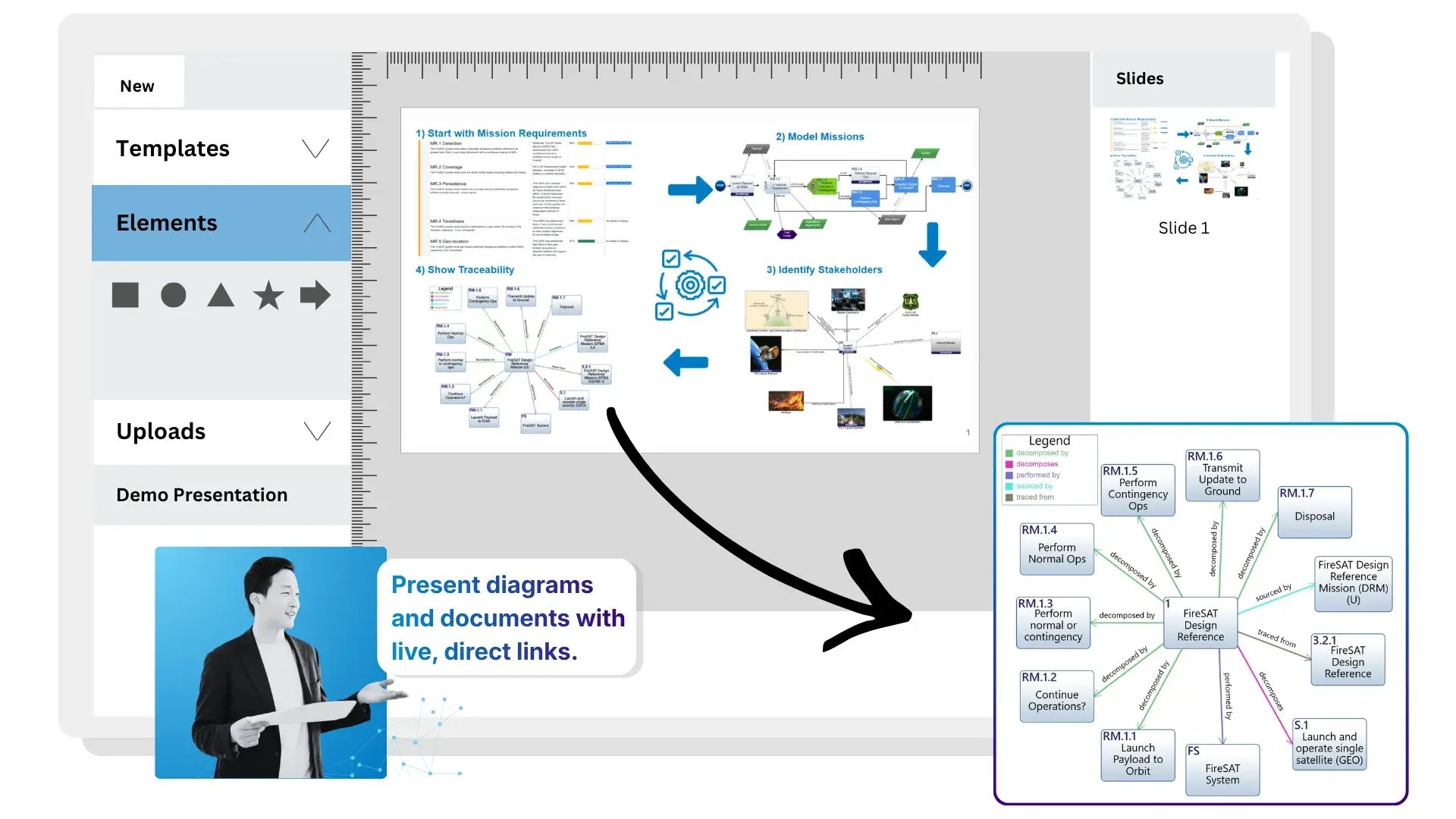
Innoslate Presentations View Illustration

Multiple engineering views from the same data

Requirements, documents, diagrams, verification plans, and reports all connect to the same underlying data.

Update information once and see it reflected across the entire project.

This data-driven approach helps eliminate duplicate effort and improves traceability across the engineering lifecycle. Innoslate's architecture is built around a common data model that drives multiple engineering views and artifacts.

See data-driven in action. Schedule a demo. →

What our customers say

Learn more about our users and why they choose Innoslate as their MBSE solution.

SR (1)
The ability to see all objects in a view is very helpful to decrease the risk of creating duplicate elements. Being able to tie objects to diagram views and then understandable PM views is also great. My favorite feature is the AI-generated test cases and risks from requirements.
Dr. Sarah Rudder
Principal Systems Engineer
SR (2)
I like having a central location where the entire test team can collaborate and help each other out with data entry. I find it easy to generate reports, and I appreciate the database that keeps all information in one location. The training and demonstrations have been great for getting us up-to-speed in using the application.
Dr. Dave S.
Test Director
SR (3)
I use Innoslate to teach model-based systems engineering. Because it’s a cloud-based software application, students on either a PC or a Mac can start using it right away without needing to install anything on their computers. This is especially valuable for Mac users, who often have to rely on virtualization to run other MBSE software.
Bob K.
Professor of Engineering Practice

Get started today!

It only takes a few moments to signup.